Templates
- Ryan Schefke
- Patrick Burns
Overview
Email marketing templates allow your organization to build email templates that can be re-used in your marketing campaigns. Here are some common use cases for email marketing templates:
- Email newsletter
- Lead nurturing messages
- Discounts and savings messages
Creating Lead Nurturing Templates
Don't create "marketing-like" templates when designing lead nurturing emails. Make the template look like a regular email, sent from sales or marketing. We suggest creating a plain email with your company's standard signature as the template for lead nurturing.
Creating Templates
In this example, we'll show you how to create a template for lead nurturing purposes.
- Create a single template that contains your standard company signature.
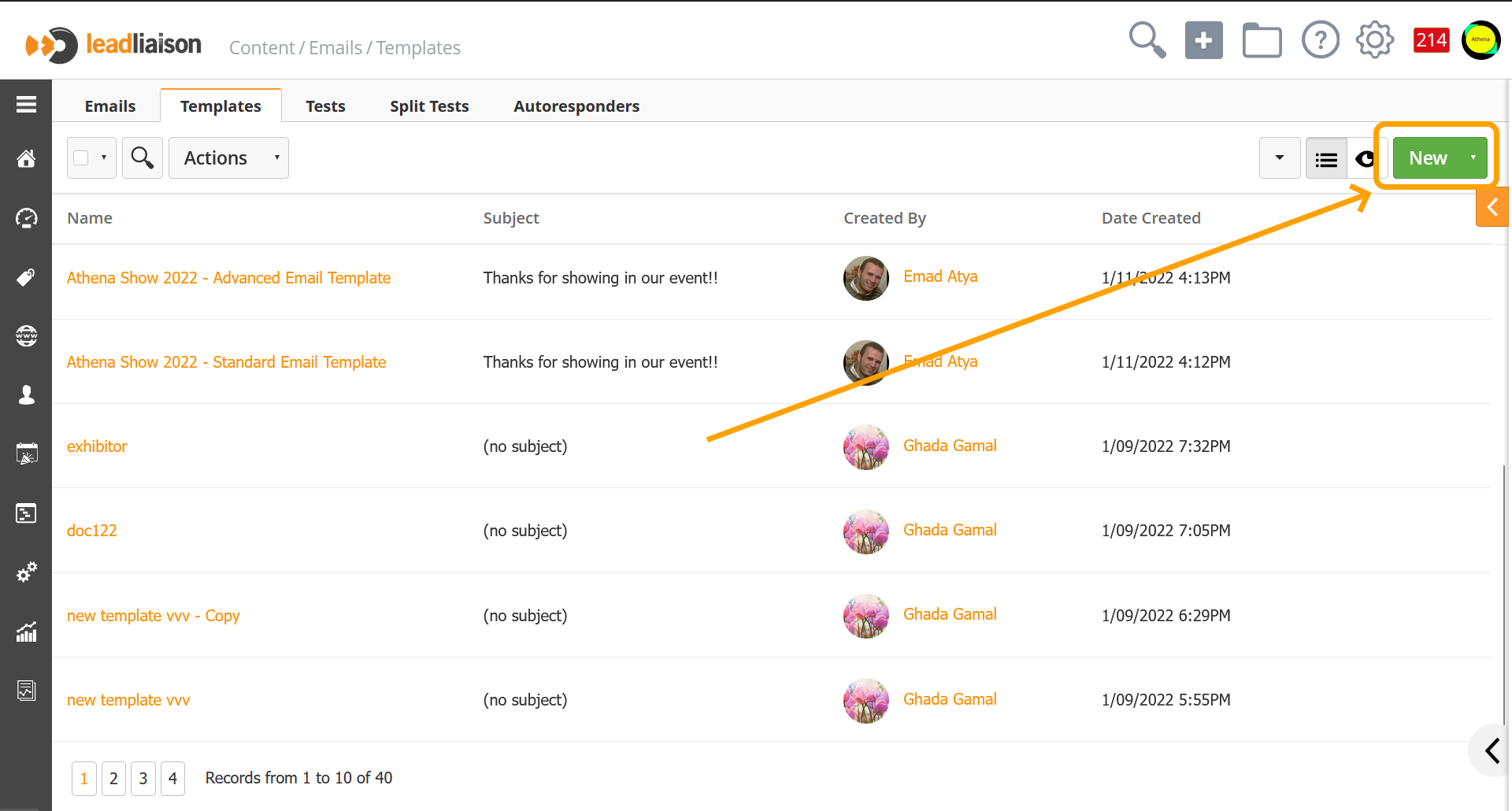
- Go to Content > Emails > Templates. This is where your team can create their own templates.
- You may see some custom email templates already. When templates are shared Globally they are visible by all Lead Liaison customers. For example, there's a Lead Nurturing template you can view and copy to begin creating your own template. Click View next to the template and copy/paste the HTML to your own custom template. Now the template can be used as a starting point for future emails.
- Click New to create your own email marketing template.
Create an Email Starting with a Template
To create an email message and begin with a template do the following:
- Go to Content > Emails
- Click New
- For the Name, use something logical, so that you can find it when you are adding the email into a workflow. We suggest numbering the emails and using something like " Post Demo Follow Up - Email 1" or "Nurture / Marketing / Any / Long Term #1". The name is just for internal use.
- The Subject is the title that appears in customers' inboxes
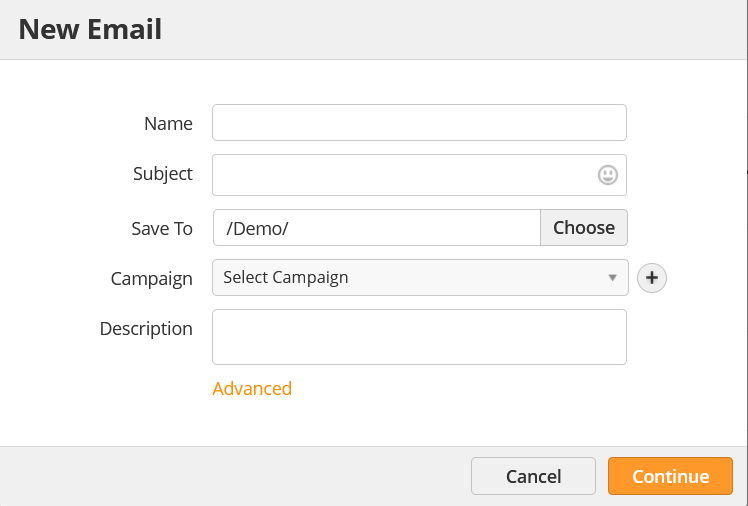
- Click Continue
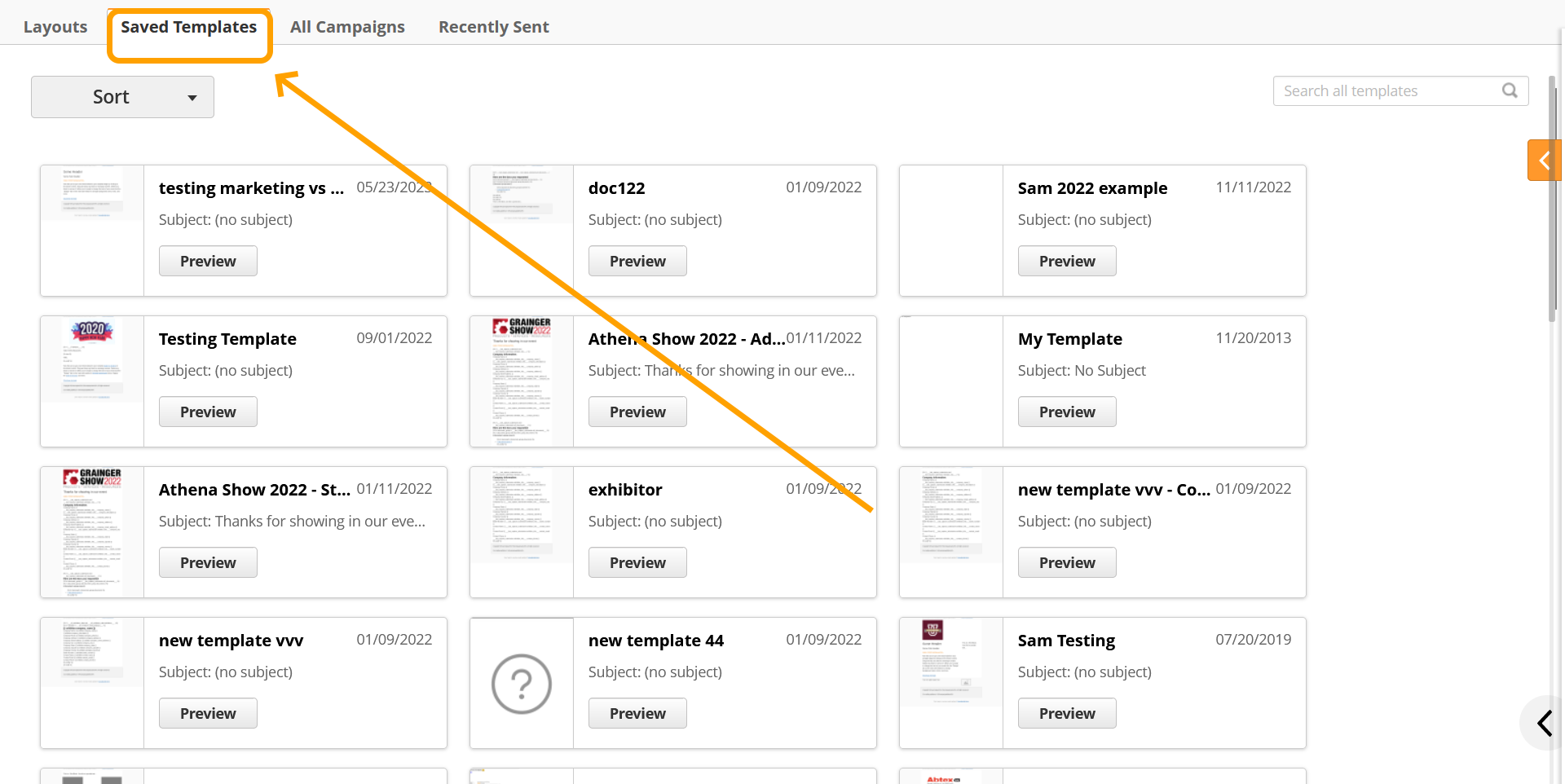
- Click Start with a Template
- Switch to the Saved Templates tab and choose your template.
Related content

© 2021 Lead Liaison, LLC. All rights reserved.
13101 Preston Road Ste 110 – 159 Dallas, TX 75240 | T 888.895.3237 | F 630.566.8107 www.leadliaison.com | Privacy Policy